
The Things I Wanted to Know Before Buying Apple’s Studio Display XDR
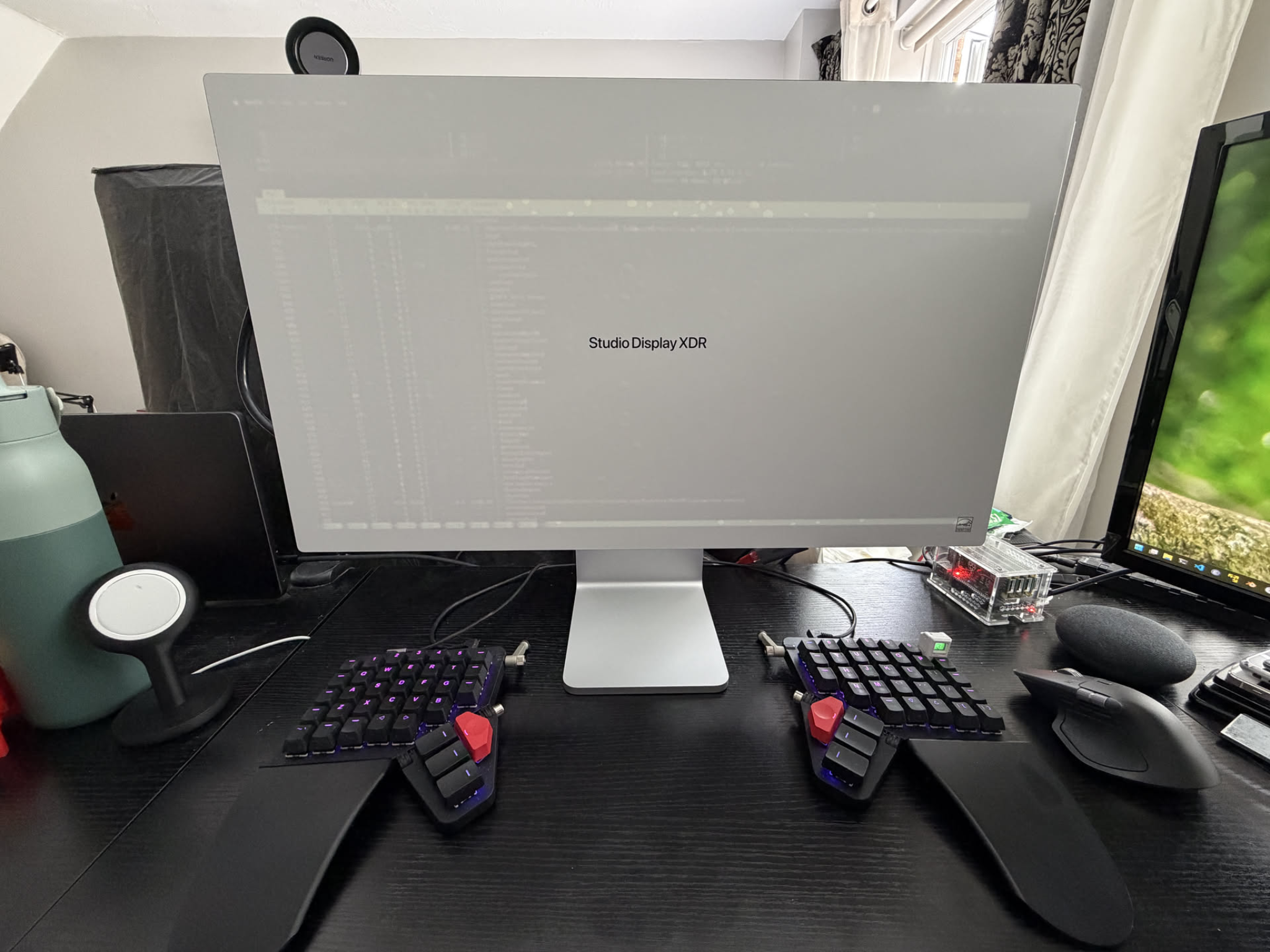
I have owned somewhere near ten monitors at this point. CRTs, LCDs, a pretty disappointing 4K Samsung panel, then an ultrawide I genuinely loved. For the last few years though, I wanted one very specific thing: a retina-class 5K display at 120 Hz.
4K 120 Hz displays are everywhere. 5K 120 Hz displays, until very recently, basically did not exist at all.
There are finally a couple of companies trying now. One of the more interesting ones is the ROG Strix 5K XG27JCG. It looks like a genuinely fantastic monitor, and it is much cheaper. Honestly, if the Studio Display XDR did not exist, I would buy that in a heartbeat.
But it is also a very different class of display. It is Fast IPS rather than mini-LED, and while Apple is doing 1000 nits SDR and 2000 nits peak HDR, the ROG is more in the 350 nit SDR and 600 nit HDR range. That is very dim in comparison. So yes, there are finally alternatives starting to appear, but for a long time this category was basically empty.
Then Apple announced the Studio Display XDR on 3 March 2026, and it was basically the spec sheet I had been waiting years for. 27-inch, 5K, mini-LED, 120 Hz, proper brightness, proper pixel density. It was expensive. Very expensive. Easily more than I have ever spent on a display. Honestly, probably more than I spent on all my previous monitors added together. After a few weeks of using it as my main, and currently only, display though, I get it. It is the best monitor I have used for coding.
It is also not perfect, but more importantly, there were a few things I really wanted clear answers on before buying it, especially around Windows, Linux, inputs, and what actually matters day to day.
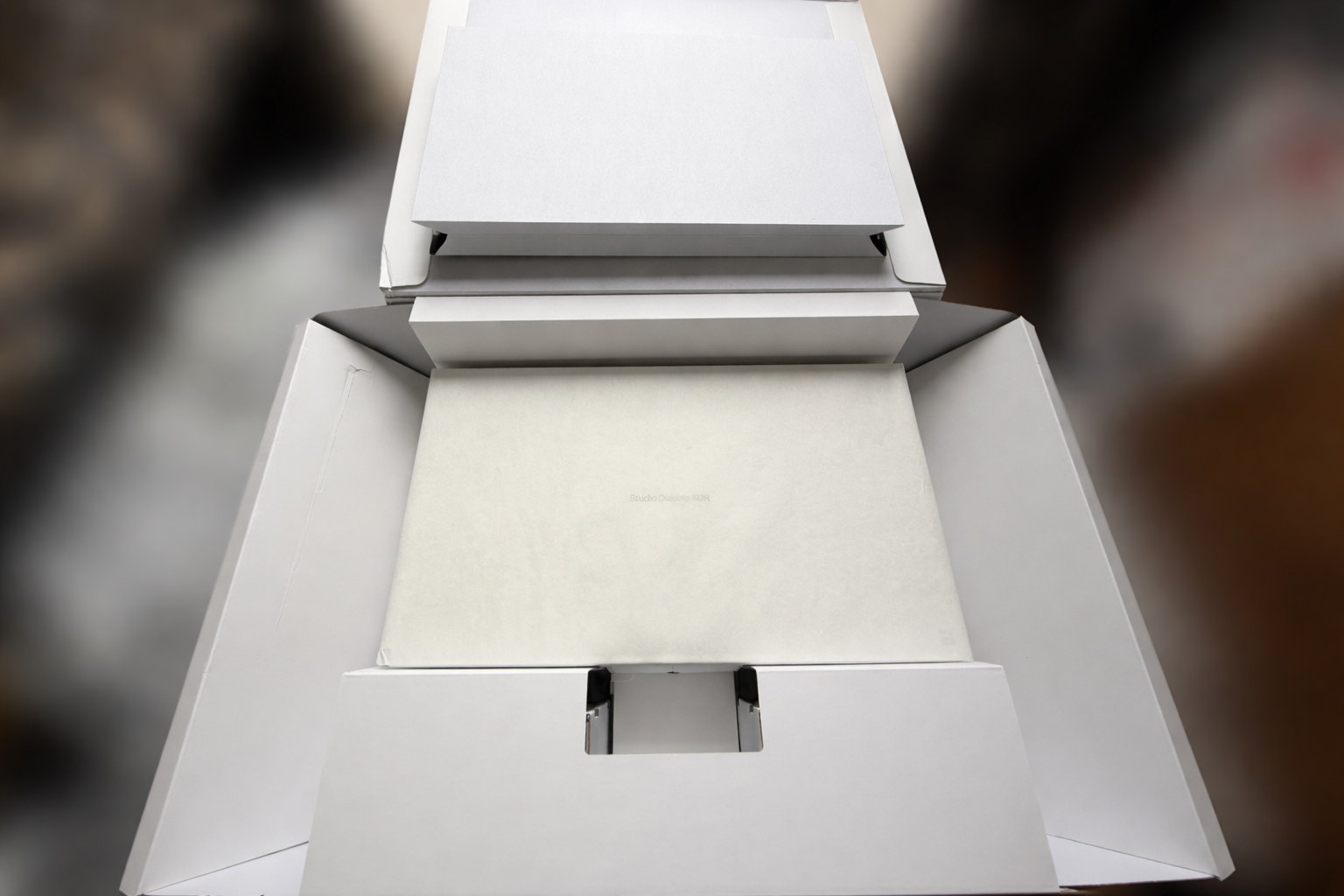
Also, the packaging is ridiculous in the best way. Heavy display, zero stress, very Apple. On a monitor this expensive, I appreciated that immediately.
Why I moved back from an ultrawide#
Before this, I was using a 3440x1440 ultrawide. I really liked that monitor. For games, it was great. The extra width is immediately noticeable and I loved being able to have two windows side by side without feeling cramped.
The issue was pixel density.
I could see the pixels at a normal viewing distance, and without really noticing it, I kept compensating by making everything bigger. Bigger text. Bigger UI. Bigger browser zoom. So while the monitor looked huge on paper, I was quietly burning a lot of that space just to make it comfortable to stare at all day.
That is the part I underestimated before switching back to a “normal” aspect ratio. This display is obviously not as wide, but I actually get more usable space out of it because I do not need to scale things up to hide the panel from myself. The text is just absurdly sharp, so I can keep things smaller and still comfortable.
If all you do is gaming, I can absolutely see the case for staying on an ultrawide. For coding, terminals, docs, browsers, Slack, and all the other things that live on my screen for 16 hours a day, I prefer this.
120 Hz was non-negotiable#
The old Pro Display XDR never really tempted me for one simple reason: 60 Hz.
Once you are used to anything above 60 Hz, going back feels wrong. Not just in games. Scrolling, moving windows around, switching between files, even just dragging text around in an editor feels sluggish. It is one of those things people dismiss until they use it every day and then try to go back.
I had been waiting years for someone to make the “retina 5K but also smooth” monitor. Annoyingly, Apple was basically the first one to do it properly.
Why this thing is so good for coding#
The resolution is at the point where I genuinely stop caring about more resolution. Even if I lean stupidly close to the panel, I cannot really see pixels. At a normal distance, they disappear completely. Text looks printed. Backgrounds look clean. Code looks exactly how I want code to look.
On paper, the headline bits are already absurd: 5120x2880, mini-LED, 2,304 local dimming zones, up to 1000 nits SDR brightness, 2000 nits peak HDR brightness, and Adaptive Sync up to 120 Hz. In practice, what I care about is much simpler: I can stare at text on this thing all day and never feel like I am fighting the panel.
5K was also important to me specifically because it scales beautifully on macOS. That was one of the biggest reasons I wanted 5K instead of yet another 4K panel. The extra density also helps on Linux and Windows. Everything just looks crisp instead of slightly compromised.
The size also feels almost perfect. If Apple made a slightly bigger version, I would probably be tempted, because more screen is still more screen. But after a few weeks with this one I have never felt like it is too small.
Brightness is ridiculous, which for me is a compliment. I am exactly the kind of person manufacturers should not trust with brightness controls. I keep adaptive brightness turned off on my phone, I run my displays bright, and I prefer working in a well-lit room. So when I say this panel is bright, I mean bright enough that I have been using third-party tools to keep HDR mode enabled all the time more often than any sane person needs to.
On white backgrounds, 2000 nits borders on absurd. On everything else, it looks incredible. Other 200-300 nit displays now look almost like they are not lit.
Colors are also fantastic straight out of the box. Apple talks about P3 and Adobe RGB support, which is great if that matters to your workflow, but my main reaction was much simpler: I did not have to touch anything.
With most monitors, there is always some battle. It looks decent on Windows, then slightly wrong on macOS. Or it looks fine on macOS and then too washed out on Linux. Or the sharpness is too aggressive. Or the colors are too saturated. Or the blacks are weird. You end up fiddling with settings, changing profiles, flipping presets, and never quite trusting that it is actually right.
I never had that with this display. It looked correct immediately.
It is not OLED, so if you put a small bright object on a pitch black background and go looking for blooming, you can absolutely find it. But in normal use, especially with dark modes that are not pure black, I basically never notice it.
The things I wish I knew before buying it#
1. The missing HDMI or DisplayPort is not the real issue#
I do not actually care that it lacks HDMI or DisplayPort on the back. Adapters exist. DisplayPort-to-USB-C cables exist. At the end of the day you need a cable anyway, so this never bothered me much.
The part that does bother me is that there is only one real display input.
Apple gives you a pretty generous set of rear ports here: one upstream Thunderbolt 5 port for the host, one downstream Thunderbolt 5 port, and two extra USB-C ports. That is actually great. The annoying part is that only one of those is the actual host connection.
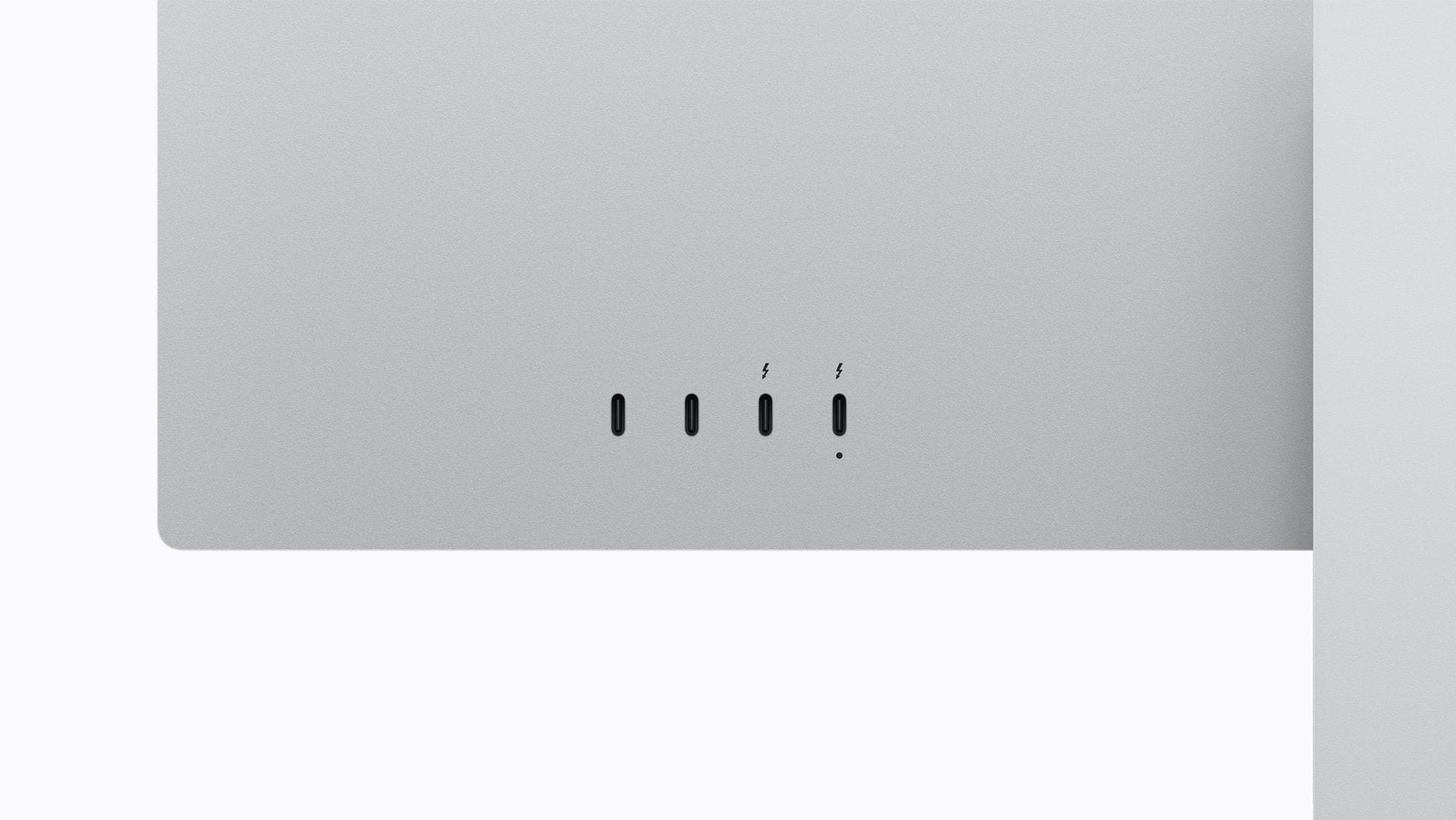
Most of the time that host connection is plugged into my MacBook, which is fantastic because it gives me 5K 120 Hz, charging, keyboard, mouse, storage, Ethernet, and everything else over one cable. That part is a dream.
But if I want to switch to my gaming PC, I am physically unplugging the Mac and plugging the desktop in. On a display this expensive, I would have loved one more input far more than I would have loved a built-in HDMI port.
2. Yes, it works with a custom-built PC#
This was the single most annoying question to research before buying it, because almost every review tests it with a laptop that already has USB-C or Thunderbolt and calls it a day.
I wanted to know whether it would work with a normal desktop PC: dedicated GPU, no integrated graphics, no motherboard video path, no Thunderbolt display output. The answer is yes.
My gaming desktop has an RTX 4080 and an Intel 13900KF, so there is no iGPU there to secretly save the day. I connected the display directly to the GPU using a DisplayPort-to-USB-C cable.
At first, nothing.
After I updated the monitor firmware from my Mac, Windows finally detected it, but only at 640x480. That was the highest resolution I could select. No higher refresh rate, no usable resolution, nothing. On a monitor like this, seeing 640x480 is almost offensive.
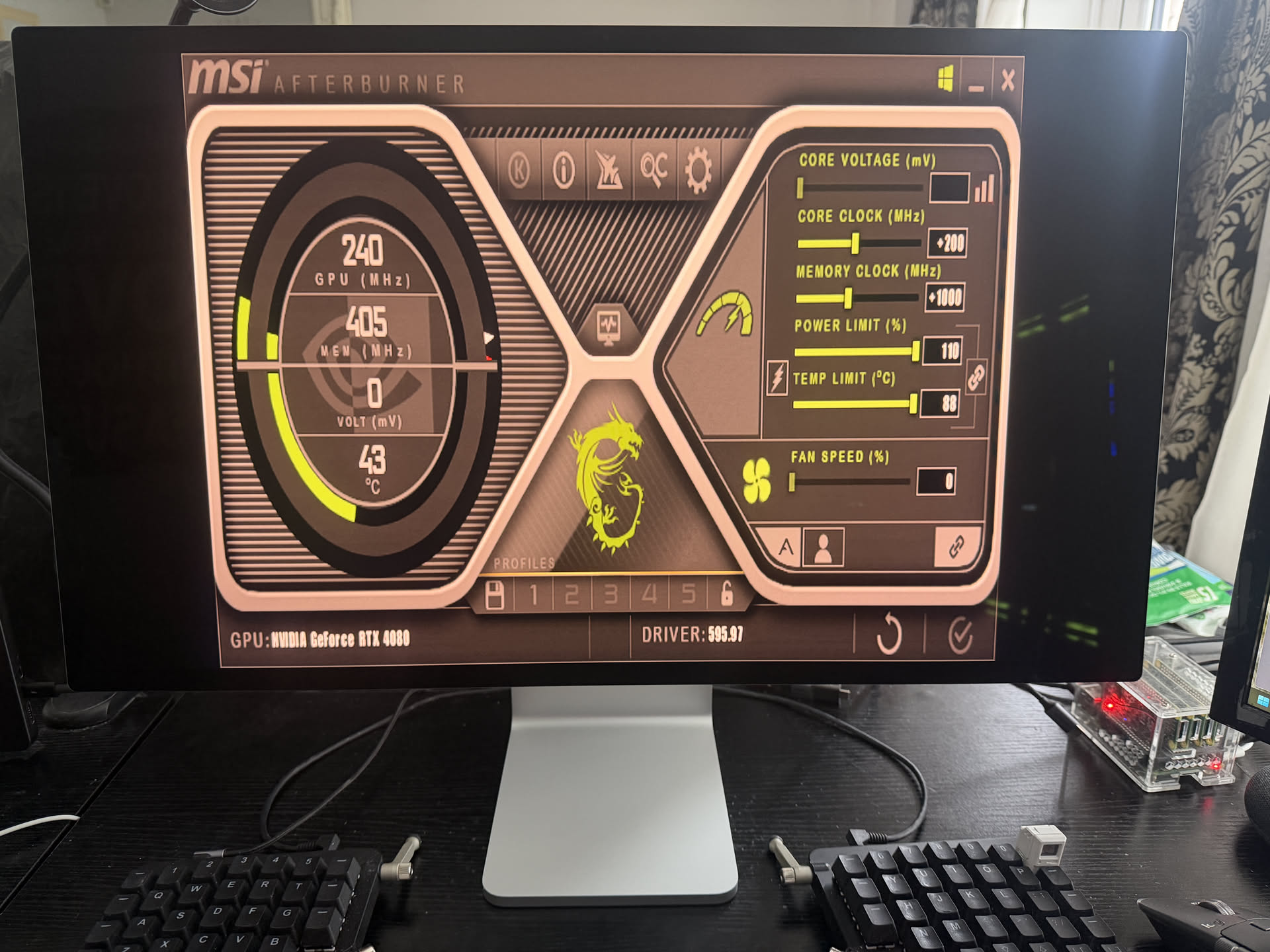
So naturally I started doing the usual desperate routine. Unplugging and reconnecting the cable. Checking every display setting I could find. Looking up whether I had bought the wrong cable. Looking up whether I needed some bizarre Thunderbolt motherboard passthrough even though I was plugged straight into the GPU. Looking up whether the lack of an integrated GPU somehow mattered.
It turned out to be an NVIDIA driver problem. Rolling back a few driver versions finally fixed the detection issue and unlocked the proper resolutions.
So if you were worried that you need some kind of magical Thunderbolt motherboard output for this display to work with a desktop GPU: you do not. A normal dedicated GPU can drive it.
3. Windows and Linux do not behave the same#
After the driver rollback on Windows, the display worked, but not the way I wanted. I could do either:
5120x2880at60 Hz3840x2160at120 Hz
Still usable. Still nice. Still annoying.
What I could not do on Windows was 5120x2880 at 120 Hz. I tried custom resolutions, EDID tricks, and the usual “maybe if I poke it from another panel it will suddenly work” routine. No luck.
Then I booted into NixOS with the latest NVIDIA drivers and 5120x2880 at 120 Hz showed up immediately.
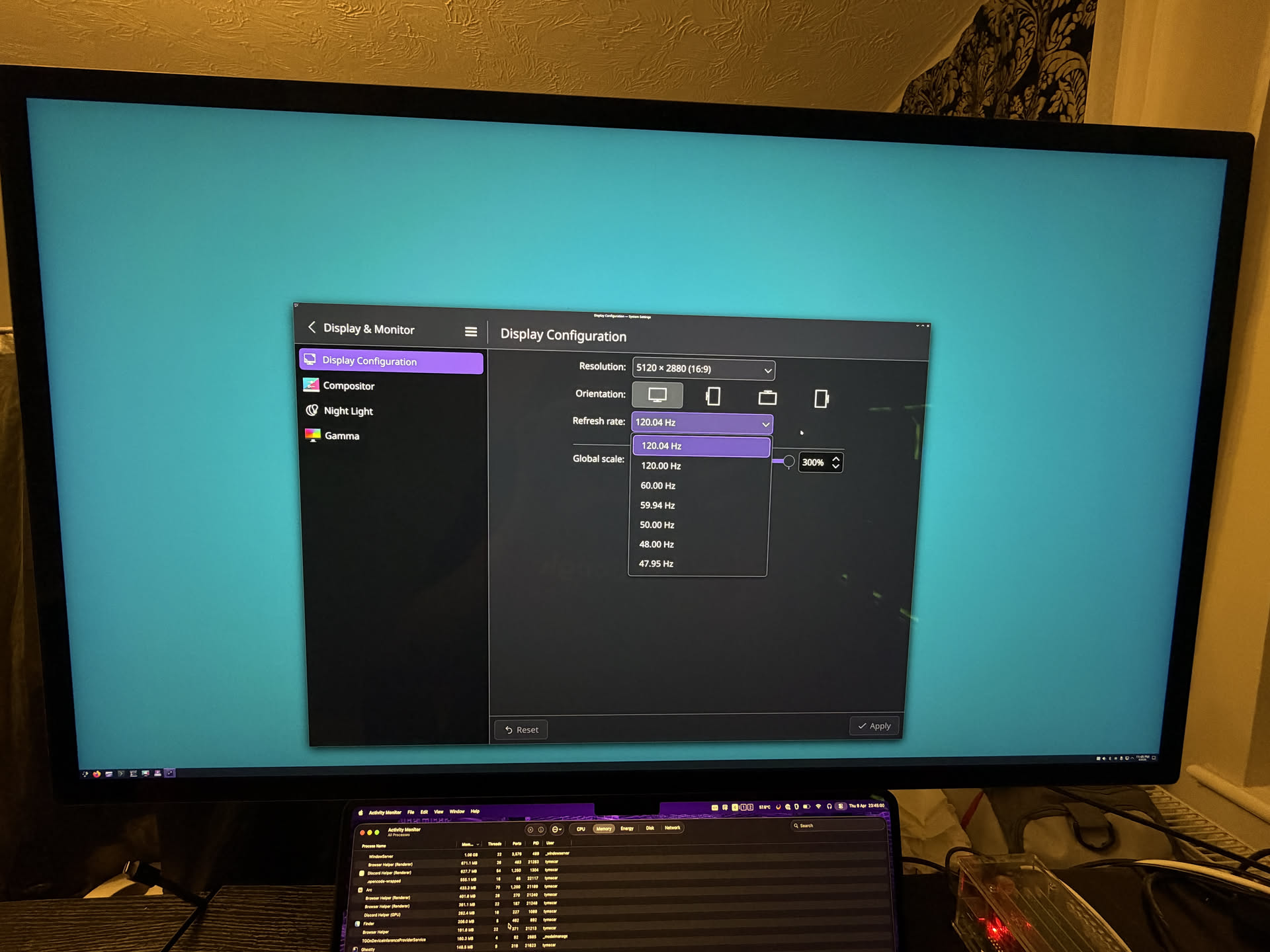
Same monitor. Same cable. Same GPU. Same desk.
A lot of people online blame this entirely on the 40-series only having DisplayPort 1.4a while the 50-series moved to 2.1. Maybe that is part of the story on paper. But Linux doing 5K 120 Hz on the same RTX 4080 makes it very hard for me to say the hardware is the whole problem.
That tells me the limitation, at least in my case, is not the panel, not the cable, not the lack of integrated graphics, and not some fundamental “you need a Mac” restriction. Right now it looks a lot more like a Windows plus NVIDIA driver problem.
I fully expect that to improve over time. But it is something I wish I had known upfront.
4. The fans are there, and I am glad they are#
The display gets warm in normal use. With HDR pushed hard, it gets properly hot.
Most of the time the fans are effectively silent. If the room is hot, the sun is hitting the panel, and I am doing the completely reasonable thing of running it insanely bright, they do become audible. I measured around 40 dB in the room, although that included my PC and other noise sources, so treat that as a rough number rather than lab data.
If anything, my complaint here is the opposite of what most people would expect: I wish Apple let me control the fan curve. I would probably just run them a bit more aggressively all the time and keep the panel cooler.
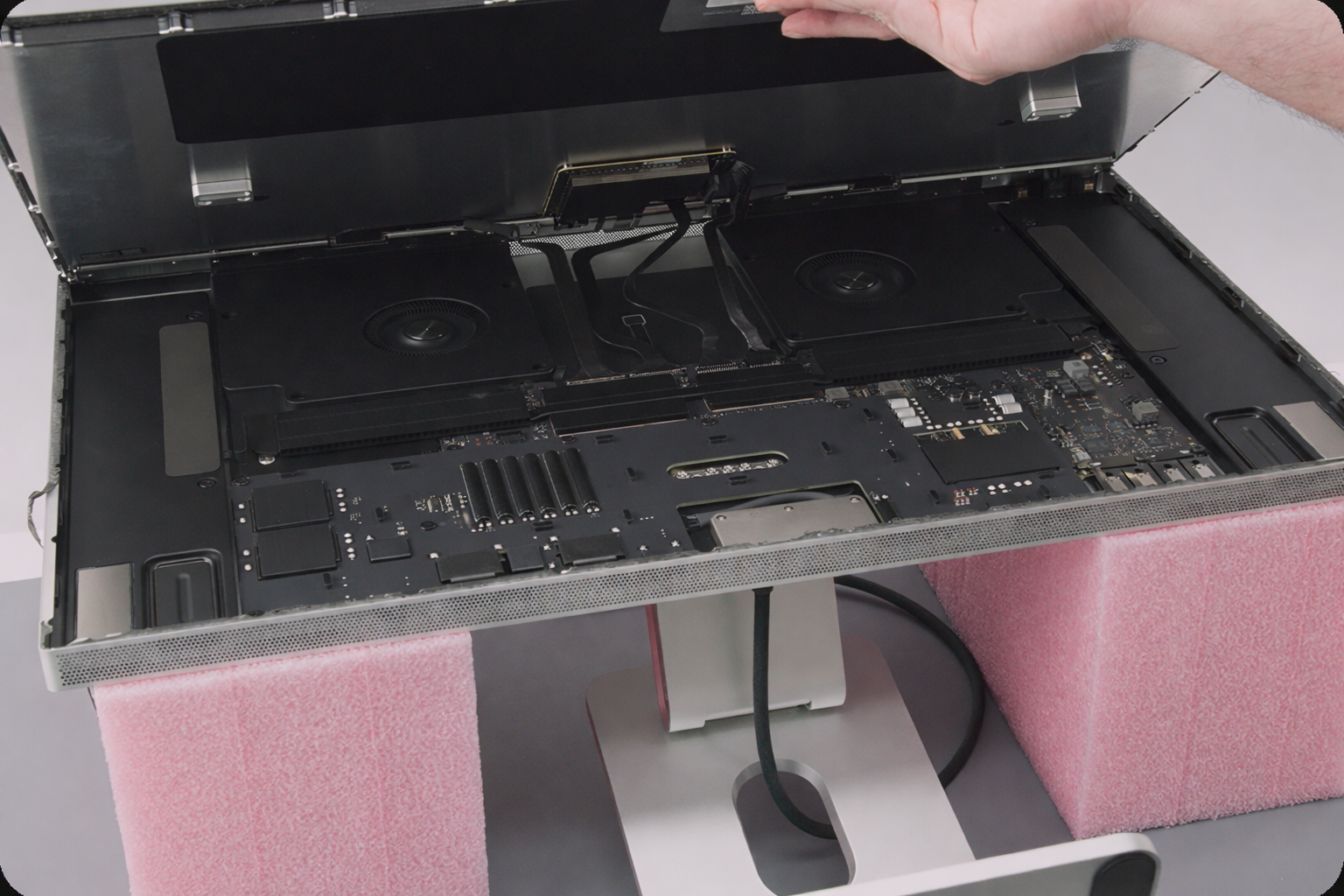
The funny part is that the fans inside are huge, genuinely bigger than my palm. Once I looked at Apple’s repair guides, I was genuinely impressed by how much cooling hardware they crammed in there.
5. Bloom exists, but you really have to go looking for it#
This is the downside of mini-LED local dimming not being OLED.
If you put a tiny bright object over a pitch black background, especially at very high brightness, you can see the dimming zones doing their thing. There is some bloom. It exists.
I still think this is a minor complaint in real use. My dark themes are not pure black, and on normal backgrounds I basically never notice it. But if you want the honest version instead of the review-unit version, yes, you can make it bloom.
6. The extras are actually good#
The camera is better than I expected. It is a 12 MP Center Stage camera and it is absolutely good enough that I never think about it on calls. The compression on most meeting apps destroys more quality than the camera itself ever would anyway.
The speakers also sound surprisingly full and loud for monitor speakers, and the built-in mic array is there if you need it.
I do not use the built-in microphone or speakers much because I already have a desk mic and I live in headphones, so I am not going to pretend those were huge buying factors for me. Still, they are much better than the usual “technically included” monitor extras.
7. This thing is surprisingly repairable#
One thing I really appreciated seeing after buying it is that Apple published repair guides for it.
That matters more on a display like this than on a cheap monitor I would happily replace in a few years. If I am spending this much on a panel, I want at least some reassurance that a failed fan or some other internal part does not automatically turn it into a very expensive piece of wall art.
Apple is not exactly the company people associate with easy repairs, so this was a pleasant surprise.
A quick note on phone support#
People also keep asking whether a display like this works with phones.
Yes, it does. I plugged my phone in and it showed up instantly, and it was super smooth. So if that is something you care about, the answer is at least a very straightforward yes from my side.
Gaming on it is better than I expected#
I would not buy this display purely for gaming. That would be a slightly insane way to spend money when there are plenty of faster, cheaper, lower-resolution gaming monitors out there.
But if you buy it for coding and also play games on the side, it is genuinely great.
I have not had any issues with ghosting, the panel feels extremely responsive, and the extra processing overhead is tiny. I measured roughly 2.6 ms, which is basically nothing for the kind of gaming I do.
Realistically, the bigger limitation is just that 5K is a lot of pixels. Even a strong GPU is not going to brute force every game at 5K and high frame rates forever. But that is not really the display’s fault.
Final thoughts#
This is easily the best monitor I have ever owned, by a very long shot. Honestly, I think it is the best monitor I have ever seen in my life too.
It is also the first monitor in years that feels like it actually matches how I use a computer: coding first, reading second, everything else after that. The sharpness is absurd, 120 Hz makes everyday use feel fast, the brightness is almost comical, and the single-cable MacBook setup is about as clean as it gets.
The trade-offs are mostly manageable. One real input is annoying. Windows plus NVIDIA is still a bit messy. You can force blooming if you try. The fans can become audible in edge cases. And yes, the price is painful.
Even with all of that, I would buy it again.
This is the monitor I had been waiting for. It just took Apple an annoyingly long time to make it.